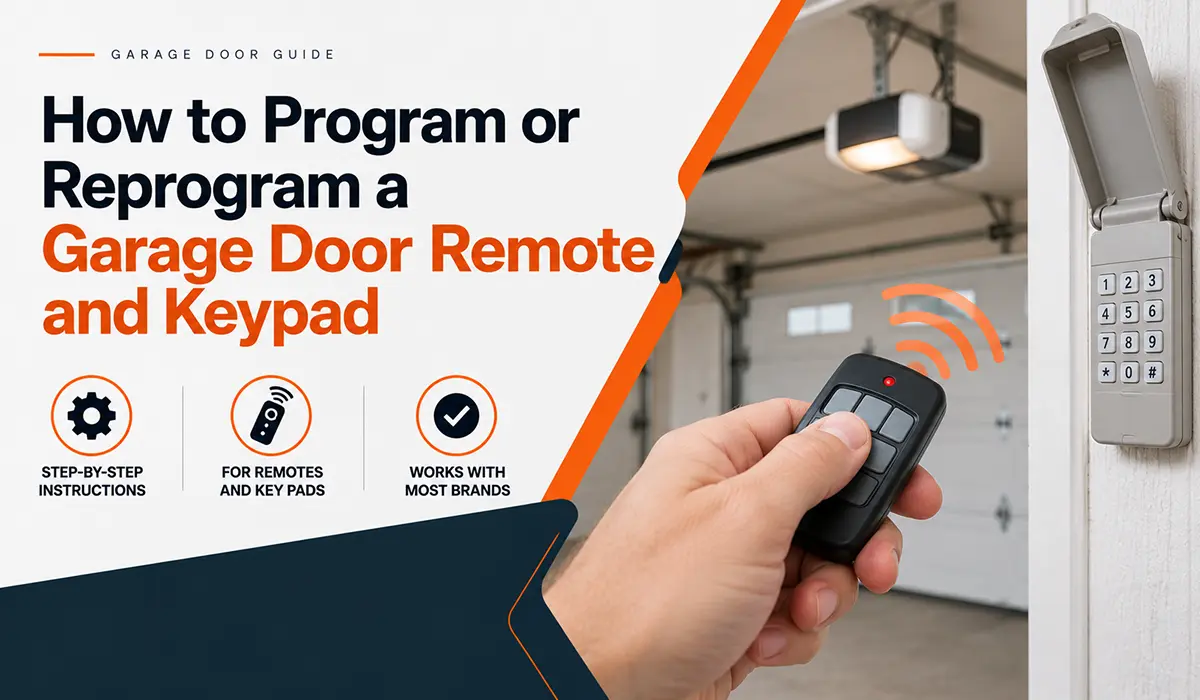

To program a garage door remote, press the Learn button on the opener motor, then press the button on the remote within 30 seconds until the opener light flashes or clicks. To program a keypad, press the Learn button, enter a 4 digit PIN on the keypad, and press Enter. Exact steps vary by brand and model, so check your opener manual or the label on the motor unit.
A new remote, a new car, or a lost keyfob. Sooner or later, every homeowner needs to program something to the garage door opener.
The good news is that it usually takes about two minutes. The bad news is that the instructions are often missing, and the steps change from brand to brand. This guide shows the general method that works for most openers, how to erase old remotes, how to change a keypad code, and what to do when nothing will sync.
Key takeaways
- Most openers use a Learn button on the motor unit. You press it, then press the remote or enter the keypad code within about 30 seconds.
- Check that your remote is compatible with your opener. A remote from a different system will not sync.
- If you lost a remote, or you just moved in, erase all remotes and start fresh. This is a security step.
- Dead batteries and blinking sensors cause many “programming failures.”
- If the opener will not respond to the Learn button at all, the receiver or circuit board may need repair.
Before you start
Take two minutes to get ready. It will save you from repeating the steps.
- Find your opener model. It is on a label on the motor unit. Have the manual handy, or look it up on the brand website.
- Check compatibility. The remote or keypad must match the opener’s brand and signal type. The color of the Learn button or the model number on the remote often shows this. If you are not sure, take a photo of the label.
- Put in fresh batteries in the remote or keypad.
- Check the safety sensors. If the opener light is blinking and the door will not close, fix the sensors first. See our guide to fixing a garage door sensor.
- Bring a stable step ladder. The Learn button is on the motor unit, which is usually on the ceiling. Do not stand on a car, a chair, or a box. Keep the door path clear and ask someone to hold the ladder.
Do not open the motor housing. The Learn button is on the outside, often under the light cover or on the back or side panel.
How to program a garage door remote
These are the general steps used by many LiftMaster, Chamberlain, and similar openers. Other brands use the same idea with different button names and light signals.
- Find the Learn button on the motor unit. It may be labeled Learn, Program, or Smart. A small indicator light sits next to it.
- Press and release the Learn button. The indicator light turns on and stays lit, usually for about 30 seconds. Do not hold the button down.
- Press the button on the remote you want to program. Hold it until the opener lights blink, or you hear a click.
- Wait for the confirmation. The opener light flashes or you hear two clicks. That means it accepted the remote.
- Test the remote. Stand in the driveway and press the button. The door should move. If it does not, repeat the steps with the remote closer to the opener.
If the 30 second window closes before you press the remote, start again. If you have several remotes, repeat the steps for each one.
Adding a new remote does not delete your old ones. Most openers can store a set number of remotes, which varies by model. If the memory is full, you need to erase the stored remotes first, and then reprogram the ones you want to keep.
How to program a garage door keypad
A wireless keypad lets you open the door with a PIN. Most are programmed like this:
- Press and release the Learn button on the opener motor unit. The indicator light turns on.
- Go to the keypad within 30 seconds.
- Enter your new PIN. Most keypads use four digits. Choose one that is hard to guess.
- Press Enter (or the button your manual names). The opener light flashes or clicks.
- Test it. Enter the PIN and press Enter. The door should move.
Some keypads need you to press the Enter button for a few seconds, or press a second button. If the steps do not match what you see, check your keypad manual.
How to change a keypad PIN
Many keypads let you change the PIN directly on the keypad if you know the current one. Look for a “program” or “change PIN” sequence in the manual. If you forgot the code, or you bought the home with an unknown PIN, use the Learn button method above to set a new one.
Change your PIN when you move in, after a contractor or house sitter has used it, or if you think someone saw you enter it. Do not use a birthday, an address, or digits like 1234.
How to erase all remotes and start fresh
This is the right step if you lost a remote, you bought a used home, or you want to remove old keypad codes. It stops anyone with an old remote from opening your garage.
- Press and hold the Learn button on the opener. On many models, hold it for about six seconds, until the indicator light goes out.
- Release the button. The memory is now cleared. All remotes and keypads stop working until you program them again.
- Reprogram each remote and keypad using the steps above.
- Test everything. Try each remote from the driveway, and enter the keypad PIN.
Check your manual for the exact timing, since it varies by model. Erasing the memory does not delete the opener settings for the door travel or force.
This matters for security. A lost remote is a key to your garage, and an attached garage often leads right into your home. Read why garage door maintenance is critical for home security for more.
How to program your car to the garage door opener
Many vehicles have a built in remote, often called HomeLink or a similar name. The button is usually on the visor or the rear view mirror. The steps vary by vehicle, but the process often looks like this:
- Train the car button first. Hold your handheld remote near the car button, and press and hold both buttons until the car light changes. Your vehicle manual shows how.
- Press the Learn button on the opener. The indicator light turns on.
- Within 30 seconds, go to the car and press the programmed button two or three times, until the door moves or the opener clicks.
- Test the button.
Newer openers use a rolling code, which is why this second step is needed. Check both the car and opener manuals, since steps differ. Parking half in the garage can help the signal, but do not run the car in a closed garage.
Older openers with switches (DIP switches)
Very old openers, usually from before the early 1990s, use tiny switches inside the remote and the opener. The pattern of up and down switches must match. If the openers do not respond, check that the switch patterns are identical.
These systems use a fixed code, which is easy to copy. If your opener is that old, consider upgrading. See our guide to chain, belt, and screw drive garage door openers and our garage door opener installation service.
Remote will not program? Try these fixes
| Problem | Likely cause | What to try |
|---|---|---|
| Opener light does not turn on when you press Learn | No power, or a fault in the unit | Check the outlet and breaker. See Step 2 of our opener checklist |
| Light turns on, remote does nothing | Weak battery or wrong remote | Replace the battery and check compatibility |
| Programming works, then stops later | Window closed too early, or a rolling code mismatch | Repeat the steps and test close to the opener |
| Remote works only when close | Weak battery, antenna, or interference | Replace battery, check antenna wire, look for new LED bulbs nearby |
| Opener flashes but door does not close | Safety sensors | Clean and align sensors. See sensor guide |
| Cannot add more remotes | Memory full | Erase memory and reprogram the ones you use |
| Keypad does nothing | Dead battery, wrong PIN steps | Replace battery and follow the keypad manual |
| Nothing works | Receiver or circuit board problem | Call a technician |
Edmonton winter tips for remotes and keypads
- Cold drains batteries. If your remote works inside the house but not in a cold car, the battery may be the cause. Keep a spare in the car or the house.
- Keep the remote warm. A remote kept on a cold dashboard overnight may be slower to respond.
- Check keypad batteries every fall. Cold shortens battery life and a dead keypad leaves you locked out.
- Wipe moisture off the keypad. Snow and ice can make buttons stick.
Our post on how to open a garage door manually covers what to do when a remote fails and you need to get the door open.
When to call a professional
Most programming jobs are quick. Call a technician if:
- Pressing the Learn button does nothing, or the light never turns on
- You have tried new batteries and several remotes, and none will sync
- The opener works with the wall button but ignores every remote and keypad. The receiver may need repair
- The opener is very old and uses a fixed code
- The opener light blinks and the door will not close, even after you clean the sensors
- You cannot find the Learn button, or you are not comfortable on a ladder
We can help the same day. See our same day garage door repair and garage door opener repair and installation. For a broader look at opener faults, read our garage door opener troubleshooting checklist and how to fix a broken garage door opener. You can also explore our full list of garage door services and our garage door maintenance visits, which include checking the opener and remotes.
Remote and keypad help across the Edmonton area
Fix in Budget Garage Door Services is based at 5430 Chappelle Rd. SW in Edmonton and serves Edmonton, St. Albert, Sherwood Park, Spruce Grove, Leduc, Beaumont, Nisku, and Fort Saskatchewan. We work with common brands, including LiftMaster, Chamberlain, and Genie. Learn more about our team on the About Us page.
Frequently asked questions
How do I program a garage door remote?
Press the Learn button on the opener motor unit, then press the button on the remote within 30 seconds. The opener light flashes or you hear a click when it accepts the remote. Steps vary by brand and model, so check your manual if the opener does not respond.
Why won’t my garage door remote program?
The usual causes are a weak battery, a remote that is not compatible with the opener, a missed 30 second window, or a full memory. A blinking opener light can also mean a sensor problem. Replace the battery, check compatibility, and try again close to the opener.
How do I reset my garage door keypad?
Press the Learn button on the opener, then enter a new PIN on the keypad and press Enter within 30 seconds. To remove old codes completely, erase all remotes and keypads from the opener memory first, then reprogram the keypad.
How do I erase lost garage door remotes?
Press and hold the Learn button on the opener until the indicator light goes out, often about six seconds. This clears every remote and keypad from the memory. Then reprogram the ones you still use. Check your manual for exact timing.
Can any garage door remote work with my opener?
No. The remote must match the opener’s brand and signal type. A universal remote can work with many openers, but check its compatibility list. If a remote will not sync, it may not be made for your system. Our garage door opener service can help you find the right one.
How many remotes can I program to one opener?
It depends on the model. Many openers can store several remotes and keypads, but the number varies. If you hit the limit, erase the memory and reprogram only the remotes you need.
Can I program my car to my garage door opener?
Yes, if your car has a built in remote such as HomeLink. Train the car button first, then press the Learn button on the opener, and press the car button within 30 seconds. Steps vary by vehicle, so check both manuals.
Still stuck? We can program it for you
Programming a remote or keypad should take a couple of minutes. If it does not work, there may be a bigger problem with the opener, and it is faster to have a technician check it.
Fix in Budget Garage Door Services offers free quotes, same day service, and a Fixed Right or It’s Free guarantee across Edmonton and nearby cities.
Need a hand? Call 780-908-0907, request a free quote, or book an appointment online. You can also browse more tips on our garage door blog.
